Mastering Material Calibration in 3DEXPERIENCE SIMULIA

June 26

Material Calibration in SIMULIA

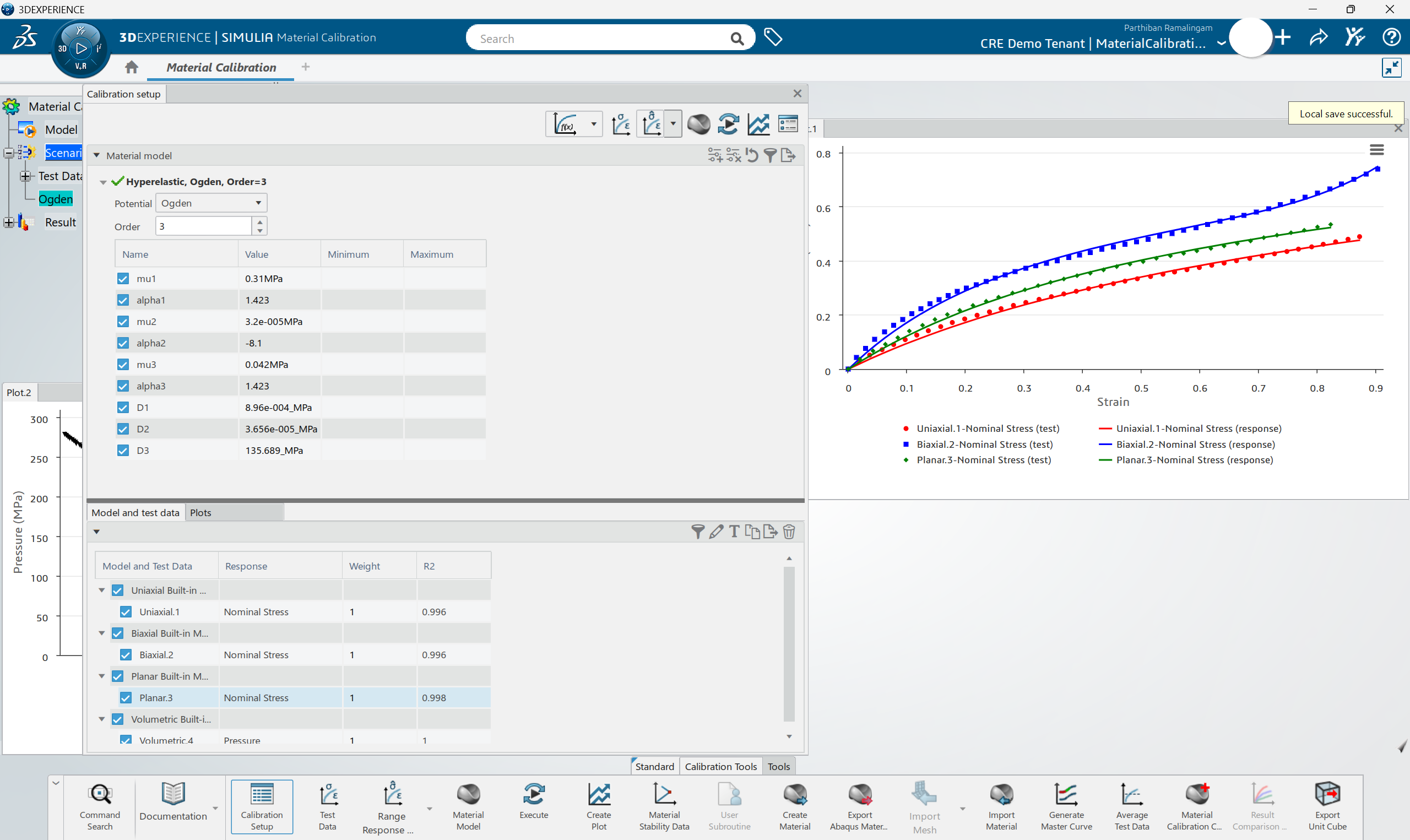
The Material Calibration app on the 3DEXPERIENCE platform automates the conversion of raw experimental test data into high-fidelity mathematical constitutive models for simulation. This guide demonstrates how to bridge the gap between physical testing and digital twinning to ensure your simulation results reflect real-world material behavior.

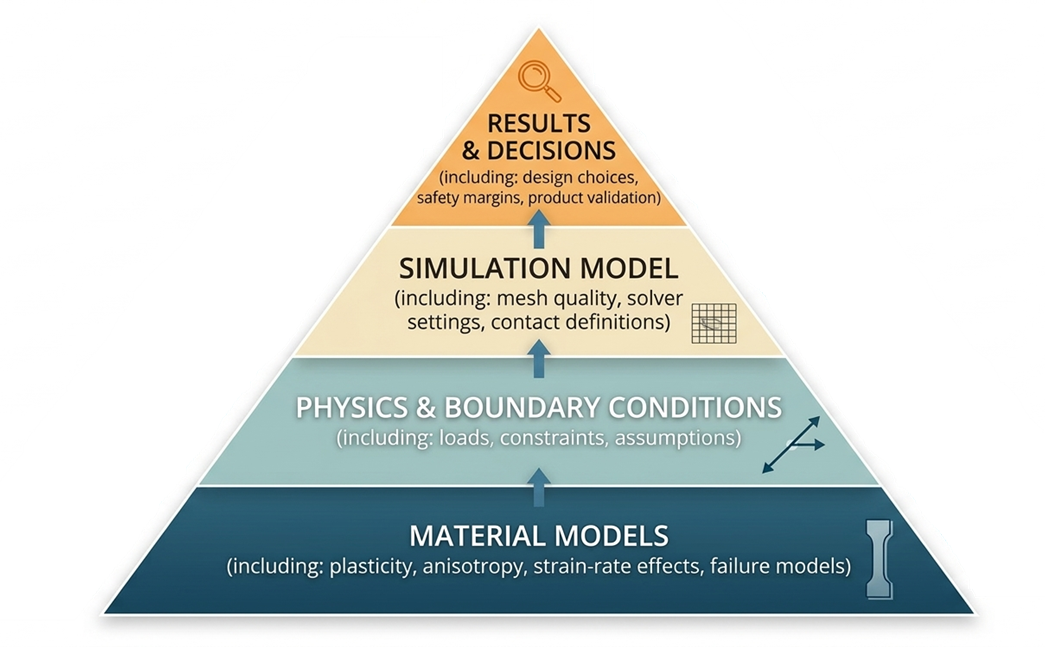
In the world of high-fidelity simulation, your results are only as good as your material data. You can have the most complex mesh and the most advanced solver, but if your material model doesn’t reflect physical reality, your simulation is just a digital guess.  As shown in the hierarchy below, Material Models are the foundation of any simulation; accuracy in final decisions is impossible without precision at this base level.
Material Calibration in SIMULIA

The app supports a vast range of materials and behaviors beyond standard steel:

  • Industrial Materials: Metals, Polymers, and Elastomers.
  • Specialized Solids: Crushable and elastomeric foams.
  • Infrastructure: Concrete and Geomechanics (Clay, soil).
  • Complex Behaviors: Time/Temperature sensitivity (creep), and Progressive Damage/Failure.

Workflow:

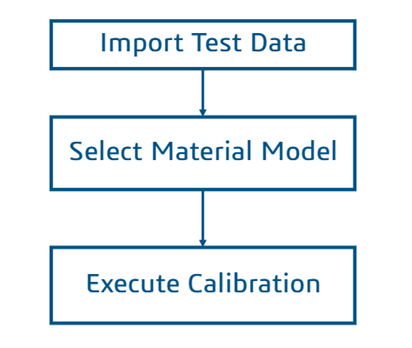
The basic workflow for calibrating a material model in the 3DEXPERIENCE Platform follows three primary steps:
 

steps of calibrating material model


  1. Import Test Data: Upload results from MS Excel, CSV, or ASCII text files.
  2. Select Material Model: Choose the mathematical framework, such as Elastic-Plastic, Hyperelastic, or Parallel Rheological Framework (PRF).
  3. Execute & Review: Run the calibration to align the model with test curves and save the result to the platform for use in other applications.

Highlights:

  • Provides calibration services for elastomeric (rubber) materials
  • All hyperelastic models (except Marlow) are available
  • Time-dependent behaviour (Prony series for shear) can be calibrated
  • Damage (Mullins effect) can be calibrated
  • Calibrated models can be saved to 3DEXPERIENCE to enable these calibrated models to be used by other 3DEXPERIENCE applications

Calibrated models in 3DEXPERIENCE


Applies To

  • Software: 3DEXPERIENCE SIMULIA / Abaqus (Material Calibration App)
  • Workflows Covered: Material Modeling, Data Import, Hyperelastic/Viscoelastic Calibration
  • Audience: Simulation Engineers / FEA Specialists / Materials Researchers


Proof & Trust Block

Author: Ramalingam Parthiban, Simulation Application Engineer


References: